
Plixi TV South Africa Installation Tutorial | Easy Setup Guide
Follow our step-by-step Plixi TV South Africa installation tutorial. Learn how to set up Plixi IPTV, connect IPTV for South African channels DSTV, and enjoy smooth streaming on Smart TVs and all devices.
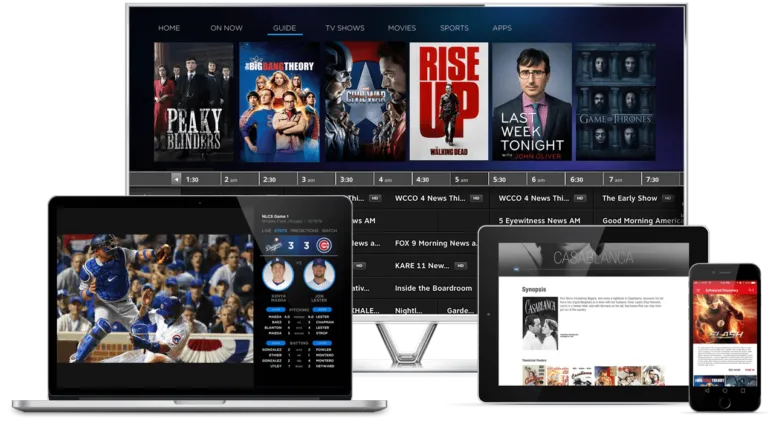
📺 IPTV Installation Guide
SMART TVs / LG / Samsung ›
📺 How to Install on Smart TV
- Open your TV App Store (LG Store or Samsung Store).
- Search for: Smart IPTV (SIPTV) or SET IPTV.
- Install the app and open it.
- You will see a MAC Address on the screen.
- Send the MAC Address to us.
- We upload your playlist and activate your subscription.
- Restart the TV → Channels will load.
PC / LAPTOP ›
💻 How to Install on PC / Windows / Mac
- Download VLC Player from Google.
- Open VLC → Media → Open Network Stream.
- Paste your IPTV M3U URL.
- Click PLAY → Channels will start streaming.
ANDROID DEVICES (Phones / Tablets / Fire Stick / Nvidia Shield) ›
🤖 How to Install on Android
- Open Google Play Store.
- Search for: IPTV Smarters or XCIPTV.
- Install the app and open it.
- Select: Login with Xtream Codes.
- Enter:
• Username
• Password
• Server URL - Click LOGIN → Channels will load.
MAG ›
📦 How to Install on MAG Box
- Go to Settings → System Settings → Servers → Portals.
- Enter Portal Name: IPTV
- Enter Portal URL (we give it to you).
- Save & reboot the device.
- Channels will load automatically.
APPLE DEVICES (iPhone / iPad / Apple TV) ›
🍎 How to Install on Apple Devices
- Open App Store.
- Search for: IPTV Smarters or rIPTV.
- Install & open the application.
- Choose Login with Xtream Codes.
- Enter your username, password, and server URL.
- Click Login → Channels will load.
KODI ›
🎛 How to Install on Kodi
- Open Kodi → Add-ons.
- Install PVR IPTV Simple Client.
- Go to Settings → M3U Playlist URL.
- Paste your IPTV link.
- Restart Kodi → Channels will appear.
Fire TV Stick ›
🔥 How to Install on Fire Stick
- Open Amazon App Store.
- Search for: Downloader and install it.
- Open Downloader and enter:
👉 iptvsmarters.com/download - Install IPTV Smarters.
- Open the app → Login with Xtream Codes.
- Channels will load.
STB Emulator ›
📡 How to Install on STB Emulator
- Go to Play Store and install: STB Emulator.
- Open → Settings → Profiles → New Profile.
- Enter Portal URL and MAC Address we provide.
- Save → Restart the app.
- Channels will load automatically.